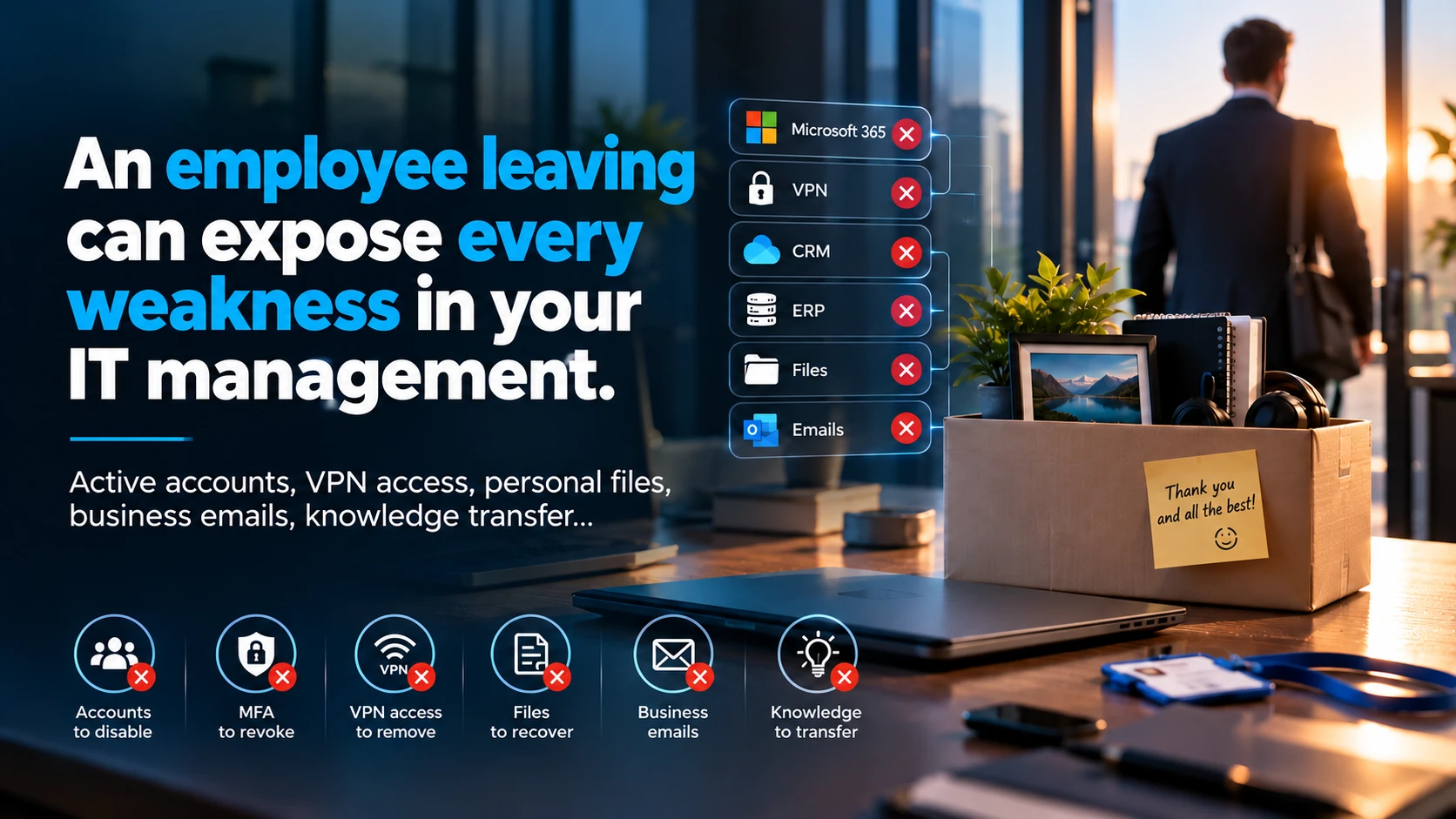
An employee leaves your company on Friday at 17:00. Are you certain that, by 17:01, they no longer have access to your data?
Their Microsoft 365 account has been disabled.
Good.
But what about their VPN access?
Their sessions that are still open?
The business applications they signed into with a separate account?
Their access to cloud platforms, shared spaces and management tools?
The work files stored in their OneDrive?
And, above all, who has actually checked that all these access rights have been removed?
An employee's departure is often treated as a simple administrative process.
From an IT perspective, however, it is an event involving security, business continuity and data governance.
And it can expose weaknesses that have built up over years.
1. Disabling an account does not mean removing all access
In many SMEs, Microsoft 365 sits at the heart of the working environment.
But employees often use far more than their main work account.
CRM, ERP, VPN, project management tools, supplier platforms, SaaS services, accounting applications and external storage spaces.
Some services are integrated with centralised authentication.
Others use separate credentials.
And that is precisely where problems begin.
An account may be disabled in Microsoft Entra ID while access to an external application remains active.
A former employee may also retain an open session in a service that has not properly revoked its authentication tokens.
Deleting an account is not, on its own, a complete access revocation procedure.
A business should maintain an inventory of the applications in use, the permissions granted and the people responsible for removing them.
Without that inventory, there is no way to guarantee that every access right has been addressed.
2. MFA protects accounts. It does not replace identity management.
Multifactor authentication is now an essential part of IT security.
But it does not solve every problem.
An employee may have registered several authentication methods, used personal devices or authorised certain applications to access their data.
When they leave, you therefore need to review the entire lifecycle of their digital identity.
This includes:
- Disabling the relevant accounts.
- Revoking sessions and tokens where the services allow it.
- Removing authentication methods that are no longer needed.
- Revoking VPN and remote access.
- Removing group memberships and administrative privileges.
- Recovering equipment or carrying out a controlled wipe of work data.
- Checking third-party accounts and applications.
These actions must be adapted to the systems in use and the circumstances of the departure.
One area also deserves particular attention: technical accounts and service accounts.
An employee may have configured an automation, integration or scheduled task that uses their personal identity.
Disabling their account could then cause an unexpected interruption.
A good offboarding process must remove human access without breaking the services the business depends on.
3. Who actually owns the work files?
Imagine a project manager leaving the company after five years.
Their work documents are spread across their computer, OneDrive, SharePoint, external storage spaces and various collaboration tools.
Some of the information is perfectly organised.
Some sits in personal folders that only they know about.
A few weeks after they leave, a client asks for an essential document.
Nobody knows where to find it.
And when the business tries to recover the data, it discovers that no handover procedure was planned.
This scenario illustrates a much broader organisational problem.
The information a business needs to operate should not depend entirely on one person's account or working habits.
Team documents should be stored in suitable shared spaces, with properly defined permissions.
Work files held in individual spaces should be transferred through a controlled process where there is a justified need.
You also need to distinguish work documents from any private data belonging to the employee.
Recovering information does not automatically give you the right to inspect all their content without restriction.
4. And what happens to their work email?
This is a question I regularly encounter in IT management.
When an employee leaves a business, their mailbox may contain years of correspondence:
Client communications, quotations, contracts, decisions, confirmations, invoices and operational information.
Some businesses simply convert the mailbox into a shared mailbox.
This approach can support a transition in Microsoft 365, provided the applicable technical, licensing and compliance requirements are met.
But a shared mailbox is not, on its own, a complete archiving strategy.
Several needs must be distinguished.
Operational continuity: allowing an authorised person to take over the work correspondence they need.
Retention: preserving information that must be kept for a specified period.
Traceability: being able to retrieve correspondence and, where necessary, demonstrate its integrity.
Confidentiality: limiting access to authorised people and respecting the rights of those concerned.
An archiving policy should define the data covered, retention periods, access permissions and deletion arrangements.
In Switzerland, these decisions must take account of data protection, applicable retention obligations and the principle of proportionality, among other considerations.
Keeping a mailbox indefinitely 'just in case' is not an archiving policy.
5. Sometimes the greatest risk is the knowledge that leaves
We talk a great deal about IT access.
But what about knowledge?
The employee who is leaving may have been the only person who knew:
How a business application was configured.
How a critical automation worked.
The particular requirements of a longstanding client.
Where a project's documents were stored.
The procedures needed to renew certain services.
Or the administrator credentials for a piece of equipment.
When this knowledge is not documented, a business loses much more than an employee.
It loses part of its ability to operate effectively.
This is particularly significant in small organisations, where certain responsibilities rest with just one person.
Documentation should not be a task you only carry out when an employee announces they are leaving.
It should be part of the normal way the business operates.
6. A departure can also reveal excessive privileges
Another common situation: an employee has accumulated permissions over the years.
They have changed roles, worked on different projects and received temporary permissions that were never removed.
Gradually, their account has gained access they no longer really need.
When they leave, the business discovers that they could view or administer far more resources than their role justified.
The problem is therefore not only the exit process.
It is also the lack of checks throughout their time with the company.
Good identity governance rests on three stages:
Joining: granting the access that is needed.
Moving: adapting permissions when roles change.
Leaving: revoking access and organising the handover of responsibilities.
This is generally called the identity lifecycle, or Joiner, Mover, Leaver.
And it applies just as much to SMEs as to large organisations.
7. The procedure every SME should formalise
A business does not necessarily need a complex platform to handle departures securely.
First, it needs a clear procedure with defined responsibilities.
Before the departure
Identify the employee's accounts, applications, equipment and privileges.
Plan the handover of work files, projects and responsibilities.
Check any automations and services that may depend on their identity.
Define how work email will be retained and handled.
At the time of departure
Disable accounts at the agreed times.
Revoke the relevant remote access, sessions and permissions.
Recover equipment, badges and other means of access.
Secure shared accounts or secrets to which the employee had access.
Document the actions taken.
After the departure
Verify that access has actually been removed.
Check for any technical dependencies.
Complete the authorised data transfers.
Apply the defined retention periods.
Delete accounts, licences and resources that are no longer needed, subject to retention requirements.
What matters is that the procedure is coordinated between human resources, the line manager and the IT provider.
And, above all, that it can be verified.
8. The six questions I would ask a business leader
To assess how mature your business is in this area, ask yourself these questions:
1. Do you know exactly which applications each employee can access?
2. Do you have a formal offboarding procedure, with someone responsible for each action?
3. Can you confirm that VPN, SaaS and administrator access is revoked at the right time?
4. Can the business access important documents without relying on an individual account?
5. Have you defined how departing employees' work emails should be retained, transferred or deleted?
6. If your IT manager or system administrator left tomorrow, would you have all the access and documentation you needed?
The last question deserves particular thought.
When a business does not hold the access credentials and documentation for its own systems, it can become dependent on a single person, or even an external provider.
Conclusion: IT security matters when people leave, too
A business can invest in the best firewalls, effective EDR solutions, advanced backups and modern infrastructure.
But if it does not know precisely who has which access, where its essential information is stored and how responsibilities should be handed over, significant weaknesses remain.
Cybersecurity is not only about attacks from outside.
It also involves the day-to-day control of identities, data and processes.
An employee's departure should never become an improvised IT emergency.
It should trigger a familiar, controlled and verifiable procedure.
Because a business that does not control its former employees' access does not fully control its information systems.
After years working in systems and network administration and IT operations management, I regard control over access and continuity of information as foundations of any professional infrastructure.
Security is measured not only by the technologies installed, but also by the rigour of the processes around them.
And in your business, does an employee's departure trigger a genuine IT procedure, or simply a request to disable an account?
#Cybersecurity #Microsoft365 #ITGovernance #SMEs #AccessManagement